
AI tools can save time, but using them on Upwork comes with strict rules. Misusing automation – like auto-submitting proposals or scraping data – can lead to penalties or account bans. Upwork now also uses your data to train its AI unless you opt out. Here’s what you need to know:
- Allowed: AI can draft proposals, monitor job feeds, and analyze job posts – but human review and manual submission are required.
- Prohibited: Auto-submitting proposals, mass messaging, and data scraping are banned.
- Data Usage: As of January 5, 2026, Upwork automatically uses proposal and communication data for AI training unless you opt out in settings.
To stay compliant:
- Review and edit AI drafts manually before submitting.
- Opt out of AI data training in your account settings to protect sensitive information.
- Avoid automated tools that bypass Upwork’s rules.
Balancing manual versus automated lead generation is key to maintaining your account and protecting client data.
Upwork’s New Rules Could Cost You Your Account
sbb-itb-5c5517e
Upwork’s Rules on AI Usage
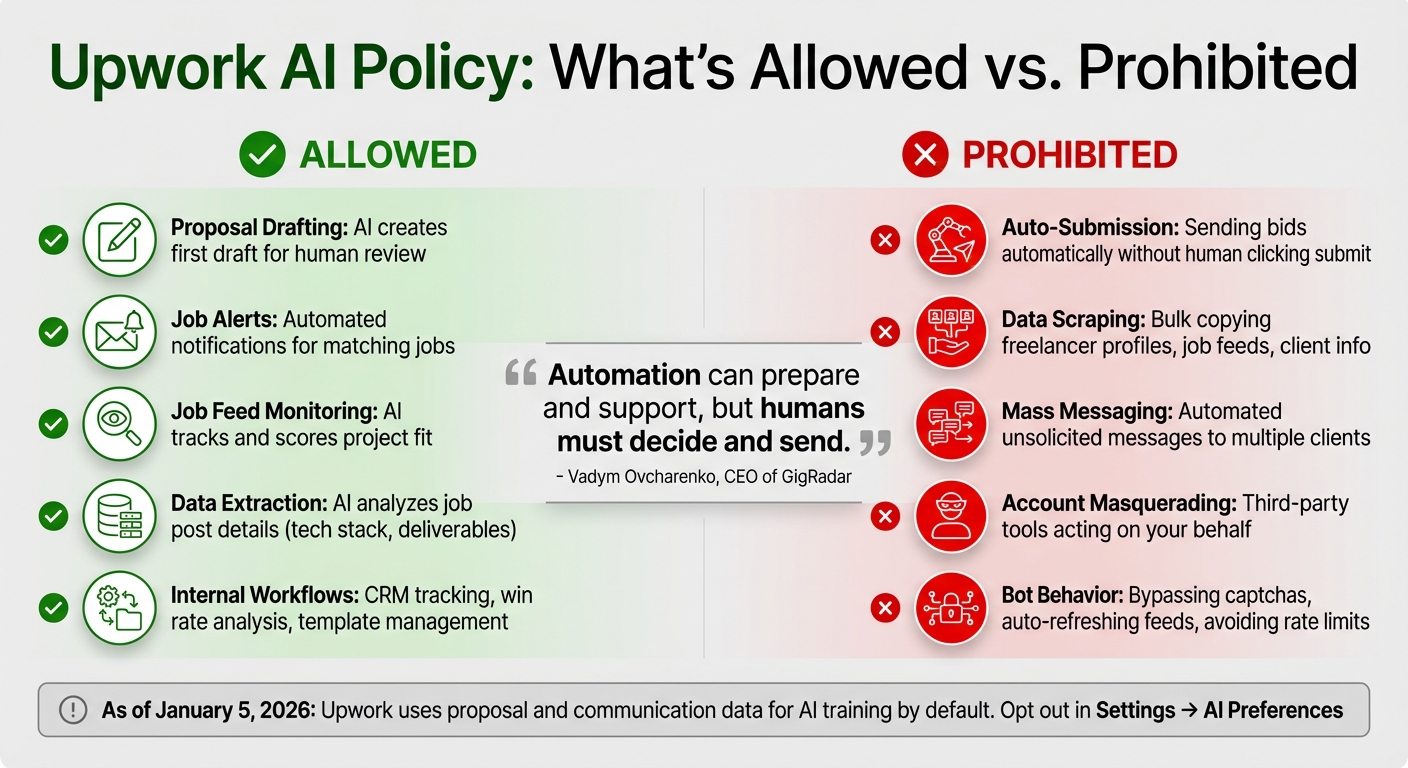
Upwork AI Policy: Allowed vs Prohibited Practices for Freelancers
Expanding on the earlier discussion of risks, let’s dive into how Upwork defines acceptable and unacceptable AI practices. Knowing these rules is essential for agencies aiming to scale efficiently while avoiding account penalties. Below, you’ll find a breakdown of what’s permitted and what isn’t, helping you stay on the right side of Upwork’s policies.
What AI Practices Are Allowed
AI can be a helpful tool, but only when a human remains in control of the process. For instance, using AI to _draft_ proposals is perfectly fine, but a team member must manually review, edit, and click "submit" for each one. As Vadym Ovcharenko, CEO of GigRadar, explains:
"AI drafts are fine, but AI bots that auto-submit are not."
Other approved uses include monitoring job feeds, scoring how well a project fits your skills, and sending notifications. AI can also help by extracting key details from job posts – like required tech stacks, deliverables, and constraints – making it easier to assess project scope quickly. Additionally, internal workflows like tracking proposal statuses in a CRM, analyzing win rates, or managing template libraries are all within Upwork’s guidelines.
It’s worth noting that, as of January 5, 2026, Upwork uses proposal data and messages to train its AI models by default. However, for "Work Product" and "Communications" to be included, both you and your client must agree – a double opt-in system. You can opt out of this at any time via your account settings.
What AI Practices Are Prohibited
On the flip side, certain AI practices and automation tools are strictly off-limits. Any action that removes human oversight – like auto-submitting proposals or sending mass automated messages – is against Upwork’s rules.
Using AI tools to scrape data, such as bulk-copying freelancer profiles, job feeds, or client information, is also banned. Similarly, account masquerading – where third-party tools act on your behalf – is prohibited. Even seemingly minor actions, like using bots to bypass captchas, refresh job feeds automatically, or avoid rate limits, are clear policy violations.
Upwork actively monitors for "bot-like" behavior, such as submitting proposals faster than a human could or triggering repeated verification checks. As Ovcharenko puts it:
"Automation can prepare and support, but humans must decide and send."
| Practice | Status | Description |
|---|---|---|
| Proposal Drafting | Allowed | Using AI to create a first version for human review. |
| Job Alerts | Allowed | Automated notifications for jobs matching specific criteria. |
| Auto-Submission | Prohibited | Sending bids automatically without a person clicking "submit." |
| Data Scraping | Prohibited | Bulk collection of client or freelancer profiles and job feeds. |
| Mass Messaging | Prohibited | Sending automated, unsolicited messages to multiple clients. |
| Account Sharing | Prohibited | Allowing third-party tools to log in and act as the user. |
How to Stay Compliant with Upwork Policies
Understanding the rules is one thing – consistently following them is another. The steps below will guide your agency in maintaining compliance with Upwork’s policies while still leveraging AI tools effectively.
Read Upwork’s Terms of Service
Before incorporating any AI tools into your workflow, take time to thoroughly review Upwork’s Terms of Service and User Agreement. These documents outline what practices are acceptable and which ones breach the platform’s rules. As of January 5, 2026, Upwork updated its AI training policy, automatically opting all users into data sharing for three categories: Work Product, Communications, and Other Platform Data.
Agencies working with sensitive client information – especially under NDAs, GDPR, or HIPAA – should pay close attention to this default opt-in status, as it could pose compliance challenges. Carefully read the updated terms, focusing on sections related to automation, data usage, and prohibited activities. If you’re unsure whether a specific AI feature complies with Upwork’s policies, reach out to their support team for clarification before proceeding.
To stay compliant, make sure your workflow includes a strong manual review process.
Review and Submit Proposals Manually
Human oversight is essential when submitting proposals. While AI tools can draft proposals in seconds, you should always be the one to hit "submit." Upwork’s policies emphasize that automation is meant to support your work, not replace your involvement. Every proposal should go through a human review to ensure it aligns with your standards.
Dedicate about 90 seconds to reviewing each draft for tone, accuracy, and relevance. Double-check that the AI hasn’t included incorrect claims about your experience or irrelevant portfolio samples. As Stefan Karaseu from GigRadar advises:
"The moment your AI Upwork bidder generates something you wouldn’t say on a call, pause and fix the prompt or rule that caused it."
Personalization is key. Include at least two specific details from the job post, such as the client’s preferred tech stack or unique project requirements, to avoid being flagged by Upwork’s spam filters. Match the client’s tone and ensure the proposal is formatted to be easily readable on mobile devices.
Opt Out of AI Data Training
To safeguard sensitive information, adjust your AI training settings immediately. By default, Upwork uses your proposals, messages, and work product to train its AI assistant, "Uma". If you want to protect your agency’s proprietary methods, client communications, and writing style, you need to manually opt out.
Navigate to Settings → AI Preferences in your profile and toggle off all three data-sharing categories: "Work Product Data", "Communications Data", and "Other Platform Data". Take a screenshot of the settings page to document your opt-out date.
Keep in mind, opting out only applies to future data. Any content shared between January 5, 2026, and your opt-out date may already be part of Upwork’s training dataset. As attorney Sergei Tokmakov explains:
"Any work you created between January 5, 2026 and your opt-out date may already be in Upwork’s AI training data. Opting out only protects future content."
For added protection, include a clause in your NDAs or Statements of Work requiring clients to opt out as well. Remember, Upwork’s policy states that work product and communications are only used for training if both you and the client are opted in. You can include a note in your proposals, such as: "I have opted out of Upwork’s AI training. I request that you also opt out in your AI Preferences to ensure our communications and work product remain private".
Compliance Checklist for Agencies
To ensure your agency’s AI workflow stays compliant, use this checklist as a guide. Regular audits are key to identifying and addressing potential issues before they escalate into account warnings or restrictions. Here’s how to verify your processes align with AI proposal tools vs. Upwork policies.
Allowed vs. Prohibited AI Practices
The table below highlights the distinction between acceptable AI use and practices that are strictly off-limits:
| Category | Allowed | Prohibited |
|---|---|---|
| Proposal Drafting | AI-assisted drafts with human edits and manual sending | Automated submissions or mass bidding bots |
| Data Handling | Opting out of AI training via platform settings | Scraping job or client data |
| Client Interaction | Transparent disclosure of AI usage | Automated messaging systems |
Key Compliance Practices
- Regular Audits: Conduct weekly audits to review all browser extensions, scripts, and AI tools. Label each as either "Safe" or "Risky" based on its functionality. Immediately disable any tools flagged as risky, as your agency is fully responsible for any violations.
- Policy Updates: Set a quarterly reminder to review Upwork’s Terms of Service. For instance, the January 5, 2026, AI training policy change caught many agencies unprepared. Staying ahead of updates is critical to avoiding compliance gaps.
- Performance Monitoring: Track weekly quality metrics, such as response times, interview rates (10–25%), and quality scores. This ensures AI-generated drafts meet platform standards and maintain high-quality interactions.
- Proposal Limits: Submit only 3–5 targeted proposals daily. This approach reduces the risk of triggering spam filters while focusing on quality submissions that are more likely to win contracts.
How Convertix.io Supports Compliance
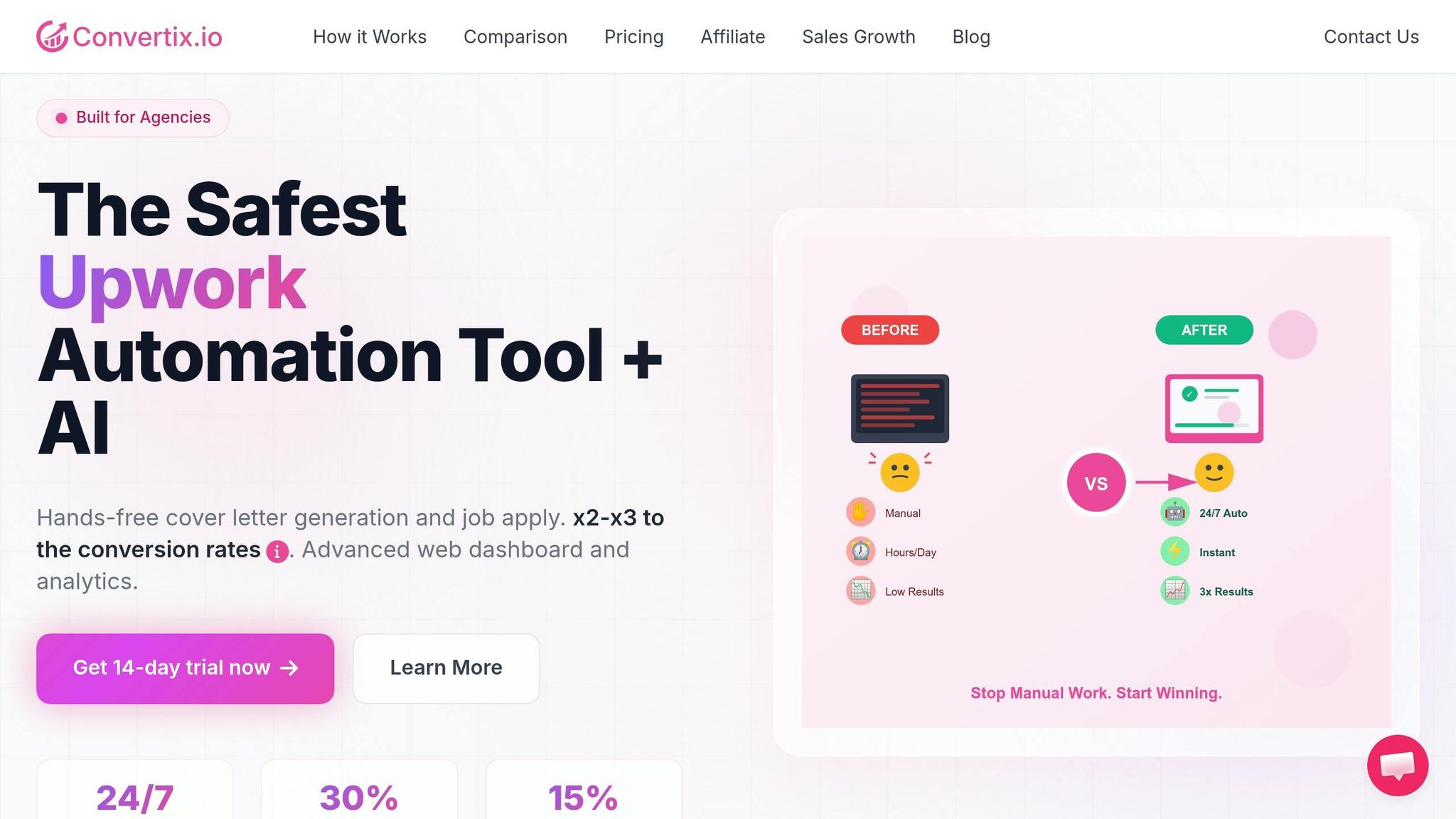
Convertix.io is built to align with Upwork’s policies, ensuring agencies can streamline their proposal workflows without risking account penalties. The platform operates using verified accounts, browsers, and physical PCs, making its automated processes indistinguishable from manual activity. This approach minimizes the likelihood of triggering Upwork’s spam filters. By integrating through authorized API connections and strictly adhering to Upwork’s Terms of Service, Convertix.io automates the most labor-intensive parts of lead generation while maintaining complete compliance.
Portfolio-Based Proposal Generation
Generic templates often miss the mark when it comes to Upwork’s quality expectations. Convertix.io takes a different route by focusing on portfolio-driven proposals. The system analyzes job postings and matches them with your agency’s portfolio details – like project titles, URLs, tech stacks, and measurable outcomes – to craft proposals that highlight why your team is the ideal choice.
For instance, a proposal might begin with: "In our recent $50K e-commerce project, we achieved a 30% conversion uplift using similar tech", followed by concise, human-edited insights. This personalized strategy ensures proposals are both relevant and effective, leading to view rates of 25–30% and reply rates of 5–15%. To further safeguard compliance, the system runs a relevance check before generating each proposal, ensuring it aligns with your criteria and avoids spam-like behavior that could lead to account warnings. This tailored process integrates seamlessly with manual review steps for added precision.
Manual Review Workflows
Convertix.io incorporates manual review workflows to ensure every submission meets Upwork’s guidelines. AI-generated drafts are presented in an editable interface, allowing team members to customize and approve proposals before submission. This setup aligns perfectly with Upwork’s manual review requirements. Agencies can also configure custom AI job validation prompts to define what qualifies as a "good fit", based on specific technical and domain expertise.
The platform’s advanced dashboard centralizes oversight, offering role-based access to streamline the review process. Drafts can be created by junior staff and then reviewed and approved by senior team members, maintaining a balance of efficiency and compliance. As Zoha, Co-Founder of Skip The Noise Media, shared:
"Convertix reduced our proposal workflow from 15 hours to about 3–5 hours per week and made scaling our Upwork outreach much easier".
This significant time savings comes from automating research and drafting, while still incorporating the human judgment required by Upwork’s policies. With Convertix.io’s lead automation tool, agencies can confidently scale their proposal generation efforts without compromising compliance.
Conclusion
Protecting your intellectual property and maintaining quality standards is critical. Upwork’s default AI training settings could expose sensitive data – your proposals, work products, and client communications might end up training systems that could give your competitors an edge. As attorney Sergei Tokmakov starkly put it:
You can’t unring the bell. Data that’s already gone into AI training stays there.
Taking action now is essential.
To successfully integrate AI into your Upwork workflow, you need a careful balance between automation and human oversight. Start by manually reviewing proposals, opting out of AI data training, and ensuring that AI-generated content is based on your portfolio. These measures help safeguard your proprietary methods and protect your account.
For tackling these challenges, having the right tools makes all the difference. Convertix.io offers a solution by blending automation with built-in safeguards. Its portfolio-based approach ensures proposals reflect your actual experience, while manual review workflows give your team the final say before submissions are sent to clients. This approach not only aligns with Upwork’s human oversight requirements but also simplifies the proposal process.
With AI and data privacy regulations constantly evolving – especially for GDPR, HIPAA, or attorney-client privileged work – staying vigilant is non-negotiable. By setting up proper AI configurations, implementing manual review processes, and focusing on portfolio-driven automation, your agency can scale effectively on Upwork while keeping security and compliance intact.
FAQs
How can I tell if an AI tool crosses into “auto-submission” on Upwork?
AI tools on Upwork step into the realm of "auto-submission" when they completely automate the bidding process – like submitting proposals or placing bids without any human involvement. To keep things within the rules, you can use AI to help with tasks like research or drafting. However, every proposal must be reviewed and customized by a person before it’s sent. Breaking these guidelines could lead to account suspension.
If I opt out now, what Upwork data might already be used for AI training?
If you choose to opt out now, any data already used for AI training could include your proposals, deliverables, code, designs, private messages with clients, and other content created on the platform since January 5, 2026. This is the date when users were automatically enrolled in AI training by default.
What’s the safest workflow for using AI to write proposals without risking my account?
To stay in line with Upwork’s policies, you can use AI tools like Convertix.io for tasks such as drafting and conducting research. However, it’s crucial to review and customize every proposal to match the specific needs of the client and project. Fully automating submissions or bidding is against Upwork’s guidelines and should be avoided. When AI assistance is used, disclose it where relevant and ensure your proposals remain high-quality and personalized. Refrain from using scripts or tools that perform actions beyond what a person can reasonably do, as this could lead to account-related issues.
